
3D Design
Article
2025-12-10 • 5 min read

3D Design

3D design stands at the crossroads of imagination and physical form, turning sketches into scalable objects, immersive environments, and precise components. It is no longer limited to artists or engineers; it is a practical workflow that teams in product de...

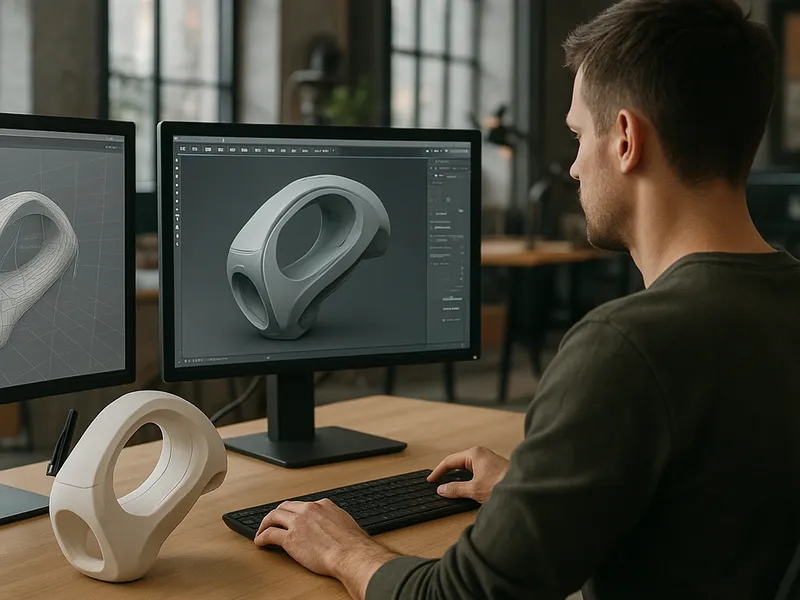
3D design stands at the crossroads of imagination and physical form, turning sketches into scalable objects, immersive environments, and precise components. It is no longer limited to artists or engineers; it is a practical workflow that teams in product development, architecture, film, and education rely on daily. From a concept sketch, a designer can craft a digital model, test it in simulation, visualize it with photorealistic rendering, and prepare it for manufacturing or publication. The discipline blends creativity with rigorous constraints such as geometry, materials, tolerance, and optimization, making each project a balance between aesthetics and function.

The practice starts with a clear objective. Is the aim to prototype a consumer gadget, to design a building facade, or to create a stylized character for animation? The answer determines the software, the level of detail, and the file formats you will use. At its core, 3D design involves four broad stages: modeling or sculpting, texturing and materials, lighting and rendering, and exporting for production or sharing. While the sequence can vary by industry, a coherent pipeline helps teams stay aligned from concept to delivery. Artists sketch panels and reference images, model the form in a chosen tool, refine surface details, apply textures and lighting, then render final images or export data for manufacturing, game engines, or printers.

Choosing the right platforms and tools is the practical heartbeat of a project. For beginners and flexible, creative work, Blender offers a robust, free, open source environment that covers modeling, sculpting, texturing, animation, and rendering in one package. For product design and engineering workflows that require precise dimensions and parametric control, Fusion 360 from Autodesk provides a strong CAD foundation with direct modeling and cloud collaboration. In the realm of character work and visual effects, Autodesk Maya and 3ds Max have long been industry standards, offering powerful animation tools and native integration with asset pipelines. SketchUp remains a popular choice for quick architectural concepts and interior layouts, while Rhino and ZBrush fill niches for complex form exploration and high fidelity sculpting respectively. Each tool comes with a learning curve and a different licensing model, so a practical approach is to start with one versatile option and expand as needs grow.

Beyond the software itself, the ecosystem includes marketplaces, libraries, and services where designers source assets or outsource parts of a project. If you need ready made models, marketplaces such as Blender compatible resources, as well as dedicated platforms offer a staggering variety of models, textures, and rigs. Commercial marketplaces like TurboSquid and CGTrader host large catalogs of models with various licensing terms suitable for film, games, and industrial design. Sketchfab provides a seamless viewer for sharing interactive 3D previews and often serves as both a discovery tool and a marketplace. For physical production, services that bridge the digital and real worlds, such as Shapeways and Sculpteo, let you upload models and receive printed parts in a range of materials, printing on demand. For education and skills development, platforms like Udemy, Coursera, and LinkedIn Learning offer courses that take you from fundamentals to advanced workflows, often accompanied by project files so learners can practice in context.

3D Design

If your project involves creating tangible objects, a practical workflow might include designing in a CAD oriented environment for accuracy, testing with rapid prototyping, and then refining through iterations. For example, a tool enclosure or a mechanical part benefits from parametric modeling, where dimensions drive the geometry and allow quick variant exploration. Once a satisfactory model is produced, export formats such as STL or OBJ are used for printing or for downstream processing in a rendering or game engine. If the objective is a visual asset, you’ll focus on UV mapping, texture baking, and realistic materials. Rendering engines like Cycles in Blender or Arnold in Maya deliver photoreal results, while engines like Unity or Unreal Engine enable real time visualization for interactive experiences. A well documented workflow, with version control and clear naming conventions, saves time when teams collaborate across disciplines.

Starting a 3D design project can be both thrilling and overwhelming, but you can simplify the path with a focused plan. Begin with a simple brief and references: outline the purpose, scale, and target audience. Choose a primary tool based on the project type: Blender for exploration and generalist work, Fusion 360 for precise mechanical parts, SketchUp for architectural concepts. Create a rough blockout to establish proportions before diving into details. Use modifiers or sculpting techniques to shape the form, then switch to a dual workflow of texture and material applications to bring the model to life. Always test the model against real world constraints when relevant; if it’s a product, check tolerances and assembly; if it’s a render, experiment with different lighting setups to understand how the surfaces respond. Finally, plan for export and delivery: do you need a printable STL, a game ready FBX, or a photo ready render?

As a practical tip, build a small library of reusable parts and textures to speed up future projects. Invest in learning basic lighting and material workflows early, as these areas often determine how convincing a model feels in final presentation. When budget allows, consider a subscription to a preferred software suite that aligns with your industry—this can unlock advanced tools such as simulation, advanced rendering, or multi user collaboration features. Engage with communities and critique groups; feedback from peers can reveal micro details that elevate a design from acceptable to compelling. And remember, licensing matters: if you plan to use assets from marketplaces in a commercial project, ensure you have the correct license for the intended use, whether it is for film, game development, or physical production.

In the end, 3D design is as much about process as it is about product. A well defined workflow, the right tools for the task, thoughtful asset sourcing, and disciplined iteration can turn a rough idea into a robust digital model ready for presentation, production, or print. The field rewards curiosity, deliberate practice, and a willingness to learn across disciplines. With the right balance of creativity and technical rigor, you can transform sketches into tangible outcomes and experiences that resonate with audiences across industries.

← Back to all articles