
Augmented Reality Applications are reshaping how people learn, shop, design, and operate in the real world. Across industries, AR apps merge digital guidance with physical environments, turning ordinary tasks into informed, interactive experiences. This article surveys the landscape, compares common approaches, and offers practical guidance for teams considering an AR initiative. Rather than dwelling on the meaning of the term, it emphasizes how to plan, build, and scale useful AR experiences that deliver value.
AR in practice sits at the intersection of content, context, and real-time sensing. On a practical level, an AR application often blends three layers: a spatial understanding of the user’s environment, a digital layer of information or assets, and an interaction mechanism that lets users manipulate or query those assets. The result is a guided, context-aware experience that can run on a range of devices—from camera phones to dedicated headsets. The most successful AR applications do not merely overlay images; they anchor content to the user’s location, adjust to lighting and occlusion, and respond to natural gestures or gaze in a low-friction manner.
A quick comparison helps organizations choose a path that aligns with their goals. The sections below contrast three common delivery modes: mobile augmentation on smartphones and tablets, wearable AR interfaces, and mixed-reality headsets with advanced spatial mapping.
Mobile AR (smartphones and tablets)
Pros: broad reach, low barrier to entry, rapid prototyping, content that leverages existing devices. Cons: shorter sessions, variable tracking performance in complex spaces, battery considerations.
Best for retail try-ons, place-based information, field service checklists, and training micro-scenarios that users complete with a portable companion.
Wearable AR (glasses and light headsets)
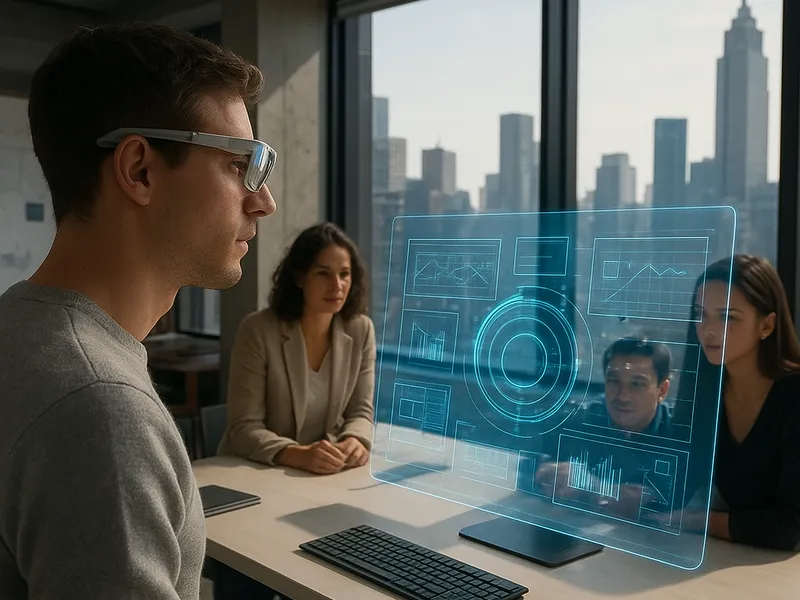
Pros: hands-free interaction, persistent overlays, more natural collaboration between teams. Cons: higher hardware cost, social acceptance, privacy considerations.
Best for on-site maintenance, assembly guidance, warehouse picking, and remote assistance where technicians need both hands free.
Mixed reality headsets with richer spatial understanding
Pros: superior spatial mapping, scale-aware content, robust collaboration features. Cons: significant capital investment, specialized workflows required.
Best for complex design reviews, architecture and planning, industrial training, and long-duration collaboration in controlled environments.
A practical framework for planning an AR program involves four steps:
Define the job to be done: Identify a real pain point or an opportunity where real-time guidance, error reduction, or faster decision cycles matter.
Choose the delivery channel: Decide between mobile, wearables, or headsets based on user context, task duration, and budget.
Map the user journey: Outline how the AR layer integrates with existing processes, data sources, and workflows; specify triggers and navigation cues.
Measure impact: Establish simple metrics such as task time, error rate, user satisfaction, and adoption rate to guide iteration.
Below is a compact table that helps compare current AR delivery modes at a glance.
AR Platform Comparison
Platform
Access
Tools
Strengths
Limitations
Mobile AR
Broad device reach
Developer kits for iOS and Android
Low friction entry, fast iteration
Variable lighting and occlusion, shorter sessions
Wearable AR
Hands-free, continuous use
Specialized glasses, pass-through or see-through displays
Enhanced collaboration, context-aware guidance
Cost, privacy considerations, social perception
Mixed-reality headsets
Rich spatial mapping
Advanced SDKs, enterprise ecosystems
Longer, deeper experiences, robust collaboration
Higher cost, larger hardware footprint
