
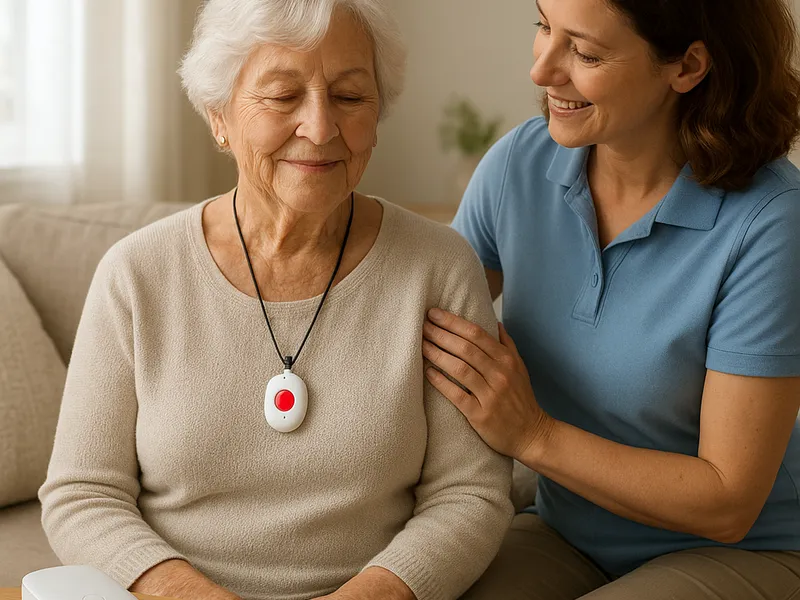
Falls remain one of the most common and dangerous risks for older adults living at home. A reliable fall alert system is more than a device; it’s a safety net that can shorten response times, reduce injuries, and provide peace of mind for both seniors and their families. Today’s systems blend wearable pendants or watches with a base station, cellular connectivity, GPS location, and 24/7 monitoring centers. When choosing the best option, consider how it fits into daily routines, the environment of the home, and the specific needs of the senior. The goal is to find a system that is easy to use, accurate in detecting emergencies, and responsive when help is needed.
What to look for when evaluating fall alert systems
First and foremost, reliability at the core of the system. A monitoring center that operates around the clock and can quickly connect with emergency services is essential. The best providers offer ongoing monitoring, robust customer support, and clear testing procedures so you can verify that the device will function when it matters most. Next, assess how the system communicates. Cellular connectivity is increasingly common and offers portability beyond a single residence, while landline-based options may be cheaper but less flexible. If the senior spends time outside the home, a system with GPS location and mobile alerts becomes very valuable.
Fall detection is another critical feature, but it’s not a one size fits all solution. Automatic fall detection uses sensors to identify sudden movements that resemble a fall and can initiate a call to the monitoring center without the senior pressing a button. It’s important to understand that automatic detection can have false positives in some situations, so many providers offer the option to enable or disable it, with explanations about when it works best. Two-way voice communication ensures the senior can speak with a responder during an alert, which also helps the operator verify the situation before dispatching help.
Durability and wearability matter as well. Pendants and wristbands should be lightweight, water resistant, and easy to activate with a simple button press. Battery life is a practical consideration; longer battery life means fewer charging interruptions. The home environment should also influence your choice. For example, a cluttered living space with a lot of metal or interference may affect signal strength; a solution with a reliable base station and strong coverage in nearby areas is worth paying a little extra for.
Pricing and contracts deserve careful scrutiny. Most providers bill monthly, with separate activation fees or equipment costs. Some services require a minimum contract, while others offer month-to-month options. It’s wise to ask about cancellation policies, return windows, and any fees for relocating the base station or upgrading equipment. Finally, consider the broader ecosystem you’re investing in. Some services integrate with mobile apps that let family members receive alerts, view call history, or place test calls. If care is coordinated with a caregiver or a home health agency, confirm compatibility and data sharing.
How to choose and use a fall alert system
1) Assess needs and daily patterns. If the senior often leaves the home, prioritize mobile or GPS-enabled options. If most activities occur at home, a robust in-home system with a dependable base station may suffice.
2) Compare features side by side. Create a short list of providers, then compare monitoring center credentials, response times, fall detection options, GPS capabilities, battery life, and the range of plans. Consider whether you want extra features such as medication reminders, activity tracking, or wellness check-ins.
3) Verify service area and support. Ensure the provider covers your region and offers multilingual support if needed. Check the training and experience of the monitoring center staff and look for reviews about real-world response times.
