
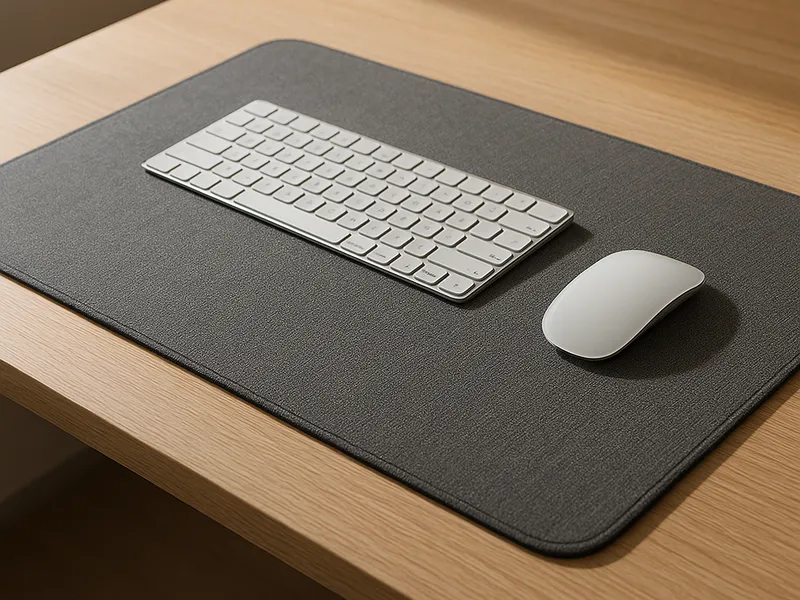
For most people, the mouse pad that makes the biggest difference is a large cloth one: our top pick is the SteelSeries QcK Heavy XXL, which gives smooth, predictable tracking, reliable stopping power, and enough room for both your mouse and keyboard. If you care more about how your desk looks and feels than about competitive gaming, we would choose the Grovemade Matte Desk Pad. And if you want a faster, tracking-focused surface for aim-heavy games, the Artisan FX Hayate Otsu V2 is the one we would spend extra on.
Our picks at a glance
- SteelSeries QcK Heavy XXL — smooth control-oriented cloth surface with a thick cushioned base — best for most gamers and mixed work-and-play desks. Check price on Amazon
- Grovemade Matte Desk Pad — premium linoleum-over-cork desk mat that ages well and writes beautifully — best for tidy, design-led home offices. Check price on Amazon
- Artisan FX Hayate Otsu V2 — fast, textured Japanese cloth surface with balanced control — best for tracking-heavy and competitive FPS players. Check price on Amazon
- Logitech G440 — rigid hard surface for fast, consistent low-friction glide — best for speed-first gamers who dislike cloth drag. Check price on Amazon
- Razer Firefly V2 Pro — hard pad with fully illuminated edge-to-edge RGB — best for showcase RGB battlestations. Check price on Amazon
- Oakywood Felt & Cork Desk Pad — warm merino-wool felt with sustainable, certified materials — best for natural-material setups. Check price on Amazon
- BUBM Desk Mat — large waterproof PU-leather mat with stitched edges — best for budget full-desk coverage.
How to choose
- Surface type: cloth vs. hard. Cloth pads feel softer, are quieter, and give more "stopping power" for controlled aiming. Hard pads (plastic or glass) glide faster and are easier to wipe clean, but can feel harsh and noisy. Most people are happiest on cloth; speed-focused gamers gravitate to hard.
- Speed vs. control. This is the real decision for gamers. Control surfaces (like the QcK) slow the mouse down for deliberate, precise aim, ideal for Valorant or CS. Faster surfaces (like the Hayate Otsu) suit tracking-heavy games and flick-aim play.
- Size. Extended and XXL mats fit your keyboard and mouse together and look cleaner; smaller pads save space. Low-sensitivity gamers should size up so big swipes never run off the edge.
- Base and edges. A dense rubber base keeps the pad planted; stitched edges stop fraying on cloth pads. These two details separate pads that last years from ones that curl in months.
- Material and maintenance (desk mats). If the mat is part of your decor, think about how it ages: linoleum and leather develop character, felt feels warm but shows wear, and PU leather wipes clean cheaply.
SteelSeries QcK Heavy XXL
A thick (extra-cushioned) cloth gaming pad in a desk-spanning XXL size. The QcK line has been the industry standard for over a decade, and this version pairs that proven surface with a plush base.
Check price on Amazon Paid link
Pros
- Smooth, predictable tracking with strong stopping power for precise aim.
- Cushioned feel that is comfortable for long sessions and wrists.
- Big enough to cover keyboard plus mouse; durable stitched build.
Cons
- The slower control surface is not ideal for fast tracking games.
- Plain look; the thickness takes some getting used to.
Best for: most gamers, and anyone wanting one pad for both work and play. Skip it if: you want a fast, low-friction surface or a decorative desk mat.
Grovemade Matte Desk Pad
A premium desk mat with a natural linoleum surface (made from linseed oil, pine rosin, wood flour and calcium carbonate) over a cork backing. It is built as a desk accessory first, mouse pad second.
Check price on Amazon Paid link
Pros
- Smooth writing surface with a subtle paper-like tooth.
- High-quality materials that age gracefully over years.
- Clean, understated look that elevates a desk setup.
Cons
- Premium price for what is, functionally, a desk mat.
- Not optimized for competitive mouse tracking.
Best for: design-conscious home offices that mix writing, mousing and aesthetics. Skip it if: you are on a budget or need a dedicated gaming surface.
Artisan FX Hayate Otsu V2
A high-end Japanese cloth pad using a jacquard weave designed to minimize the friction difference between X and Y axes. It runs a balanced-fast speed profile with plenty of texture.
Check price on Amazon Paid link
Pros
- Fast glide with a strong sense of control thanks to the textured weave.
- Excellent for tracking and flick-aim while still usable for tactical FPS.
- Comes in multiple firmness options (Soft, Mid, Xsoft) and sizes.
Cons
- Premium price and can be harder to find in stock.
- Faster surface may feel slippery if you prefer deliberate, slow aim.
Best for: competitive and tracking-heavy gamers who want a precise, fast surface. Skip it if: you want maximum stopping power or a budget pad.
Logitech G440

A rigid hard mouse pad with a low-friction surface and a stable rubber base. It is widely cited as a top hard-surface pick.
Check price on Amazon Paid link
Pros
- Fast, consistent glide that never softens or compresses.
- Easy to wipe clean; very durable.
Cons
- Hard feel and audible "scratch" can be unpleasant for some.
- Fixed size; no cushioning.
Best for: speed-first gamers who dislike cloth drag. Skip it if: you want a soft, quiet, or large mixed-use surface.
Razer Firefly V2 Pro
A hard-surface RGB pad with fully illuminated surface lighting, so the glow looks even and dramatic rather than just an edge strip.
Check price on Amazon Paid link
Pros
- The brightest, most uniform RGB lighting in a hard pad.
- Smooth, consistent hard surface for fast tracking.
Cons
- Pricey, and you are paying largely for the lighting.
- Requires a USB connection; hard feel is not for everyone.
Best for: showcase RGB setups. Skip it if: lighting does not matter to you.
Oakywood Felt & Cork Desk Pad and BUBM Desk Mat
Two desk-mat alternatives at opposite ends. The Oakywood Felt & Cork uses real merino wool and responsibly sourced cork with OEKO-TEX certification, giving a warm, textured feel for natural-material fans (premium price). The BUBM Desk Mat is the value default: a large (around 31x15 inch) waterproof PU-leather mat with stitched edges and a non-slip base for budget full-desk coverage. Choose Oakywood if materials matter; choose BUBM if price does.
Check price on Amazon Paid link
Our picks reflect widely reported reviews from PC Gamer, PCGamesN, TechRadar and dedicated desk-setup sites such as Grovemade's and Oakywood's own product pages, plus surface comparisons from mousepad databases like MouseCtrl. Always confirm current size options, surface variants and price on the manufacturer's page before buying.
FAQ
Is a cloth or hard mouse pad better?
For most people, cloth wins: it is softer, quieter, comfortable for long sessions, and offers good control. Hard pads glide faster and clean up easily, which appeals to speed-focused gamers, but the harder feel and noise are not for everyone. If you are unsure, start with a quality cloth pad.
What size mouse pad or desk mat should I get?
If you only use a mouse, a medium pad is fine. If you want a cleaner look or play at low sensitivity (large arm movements), get an extended or XXL pad that fits your keyboard and mouse together so you never run off the edge. For a full desk mat, measure your desk depth first; common large mats run around 31 inches wide.
What is the difference between a speed pad and a control pad?
A control pad has more surface friction, slowing the mouse for deliberate, precise aim, which suits tactical shooters like Valorant and CS. A speed pad has less friction for faster, smoother movement, which suits tracking-heavy games and flicking. Many cloth pads, like balanced jacquard-weave surfaces, aim to sit in between.
How do I keep a cloth mouse pad clean?
Most cloth pads can be hand-washed with mild soap and lukewarm water, then air-dried flat; check the manufacturer's instructions first, since some have special coatings. Avoid machine drying, which can damage the rubber base. Hard pads just need a quick wipe with a damp cloth.