
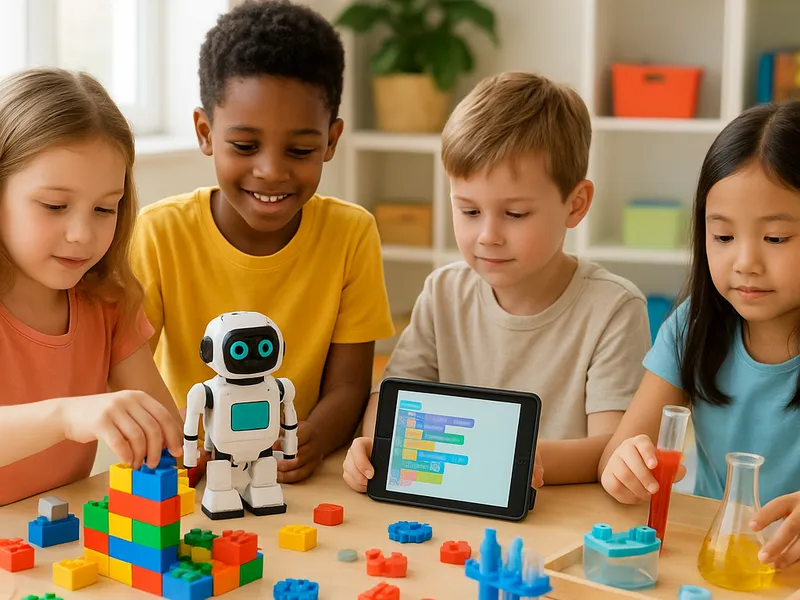
The single best STEM toy we recommend across the widest age range is a good set of magnetic building tiles like Magna-Tiles — they teach geometry, balance, and engineering through open-ended play and grow with a child from age 3 well into elementary school. For toddlers we would start with Fat Brain Toys Dimple Duo, and for elementary kids ready to code we would pick Botley 2.0 (screen-free, ages 5-7) or Snap Circuits Jr. (electronics, ages 8+). Match the toy to where your child is developmentally, not just their birthday, and you almost can't go wrong.
Our picks at a glance
- Fat Brain Toys Dimple Duo — tactile cause-and-effect play — best for babies and young toddlers (6 months-2 years). Check price on Amazon
- Magna-Tiles (or quality alternatives) — open-ended building that teaches geometry and physics — best for preschoolers and beyond (3-8 years).
- Botley 2.0 Coding Robot — screen-free first coding — best for early elementary (5-7 years). Check price on Amazon
- Snap Circuits Jr. SC-100 — hands-on electronics with no soldering — best for elementary builders (8+). Check price on Amazon
- Sphero BOLT / mBot Neo — app-based programmable robotics — best for tweens ready for real coding (8+).
How to choose
- Match developmental stage, not just age. A cautious 4-year-old may love a shape sorter while an advanced 7-year-old is ready for block coding. Age labels are a starting point, not a rule.
- Favor open-ended over single-function. Toys that can be used many ways (building tiles, circuits) deliver far more learning hours and replay value than a toy that does one thing.
- Decide screen vs. screen-free. Younger kids generally benefit from screen-free, tactile play. App-based robots add depth for older kids but require a compatible tablet or phone.
- Check safety and durability. For under-3s, avoid small parts and choke hazards. For any tile or circuit set, sturdier components survive years of rough handling.
- Think about runway. The best value comes from toys a child won't outgrow in a season. Magnetic tiles and modular kits keep delivering as skills advance.
Fat Brain Toys Dimple Duo
A colorful tactile board with raised silicone bubbles to poke and pop, plus shapes and multilingual labels. It is pure cause-and-effect learning for the youngest scientists. Price tier: budget ($).
Check price on Amazon Paid link
- Pros: Safe and grippable for small hands, engages fine motor skills and sensory exploration, no screens or batteries.
- Cons: Limited play depth as a child grows; outgrown by around age 2-3.
- Best for: Babies and toddlers taking their first steps into figuring out how the world responds to them.
- Skip it if: Your child is already past simple sensory play and ready to build or sort.
Magna-Tiles
Translucent, solid plastic tiles with magnets along every edge that snap into 2D and 3D structures. Reviewers consistently call magnetic tiles the single best STEM investment for the preschool years because they quietly teach geometry, symmetry, balance, gravity, and structural planning. Price tier: premium ($$$), with capable alternatives like Picasso Tiles or Connetix at lower tiers.
Check price on Amazon Paid link
- Pros: Endlessly open-ended, grows with the child from age 3 to 8+, durable, encourages experimentation and trial-and-error.
- Cons: Genuine Magna-Tiles are pricey; magnets are weaker than Magformers, so tall builds can topple.
- Best for: Preschoolers and early elementary kids; the most universally recommended STEM pick.
- Skip it if: Your child specifically wants intricate 3D geometric frames — Magformers' open-frame tiles and stronger single magnet suit ages 5+ better there.
Botley 2.0 Coding Robot
A small robot you program with a remote — no tablet or app required. Kids enter sequences of commands to make it navigate paths, avoid obstacles, and follow loops, building sequential and logical thinking. Price tier: mid ($$).
Check price on Amazon Paid link
- Pros: Screen-free, genuinely teaches coding fundamentals (sequencing, loops, if-then), accessible for non-readers.
- Cons: Can feel basic once a child grasps the concepts; play is centered on a single activity.
- Best for: Ages 5-7 taking their first run at coding without a screen.
- Skip it if: Your child is older or already comfortable with block coding and wants more challenge.

Snap Circuits Jr. SC-100
A classic electronics kit with snap-together components — switches, a motor, a speaker, lights, and more — mounted on plastic modules that clip onto a board. No tools or soldering, and the manual walks through 100+ real projects like alarms and circuits. Price tier: budget to mid ($-$$).
Check price on Amazon Paid link
- Pros: Teaches real electronics and circuit logic hands-on, huge project count, award-winning and time-tested, very high engagement.
- Cons: Small parts and printed instructions can frustrate younger kids; needs some adult help at first.
- Best for: Ages 8+ curious about how electronics actually work. Step up to Snap Circuits Explore Coding to add a block-coding app.
- Skip it if: You want a screen-free toy a younger sibling can share, or your child prefers robotics over circuits.
Sphero BOLT / mBot Neo
App-programmable robots that move, light up, and respond to sensors. Kids program them with block-based code (and later JavaScript or Python), bridging from beginner drag-and-drop to genuine text coding. Price tier: premium ($$$). Newer Sphero models add wireless charging and all-day battery.
Sphero BOLT on Amazon mBot Neo on Amazon Paid link
- Pros: Real programming progression, strong classroom track record, sensor-driven projects keep tweens engaged.
- Cons: Requires a compatible device; the premium price stings; younger kids may need help.
- Best for: Motivated kids 8+ ready to move beyond screen-free toys into coding that scales.
- Skip it if: You want screen-free play or a budget option.
Our picks reflect recommendations widely reported by reputable sources including TODAY's tested STEM toy guide, plus established product track records noted by retailers like Home Science Tools and HomeScienceTools' Snap Circuits listings and Purdue's INSPIRE Engineering Gift Guide. Always confirm current age ratings, contents, and pricing on the manufacturer's page before buying, as kits and bundles change frequently.
FAQ
What is the best STEM toy for a 3-year-old?
Magnetic building tiles such as Magna-Tiles are the most widely recommended pick for this age. They are safe for small hands, open-ended, and keep teaching geometry and engineering concepts for years, making them excellent value. For younger toddlers, a simple shape sorter or a tactile board like the Dimple Duo is a better fit.
Do STEM toys really need a screen or app?
No. Many of the best early STEM toys are entirely screen-free, including magnetic tiles, Snap Circuits, and the Botley robot. App-based robots like Sphero BOLT add depth and a real coding progression for older kids, but a tablet or phone is not required to build strong foundational skills.
When should a child start learning to code?
Screen-free coding robots like Botley 2.0 work well from around age 5, teaching sequencing and logic without reading or a device. Around age 8, kids are usually ready for block-based coding on robots like mBot Neo or Sphero BOLT, which then bridges into real text languages like JavaScript and Python as they advance.
Are expensive magnetic tiles worth it over cheaper brands?
Genuine Magna-Tiles are durable and have strong resale value, but well-reviewed alternatives like Picasso Tiles and Connetix perform similarly for a lower price. If budget matters, a larger starter set of a quality alternative often beats a small premium set, since more tiles means more ambitious builds.