
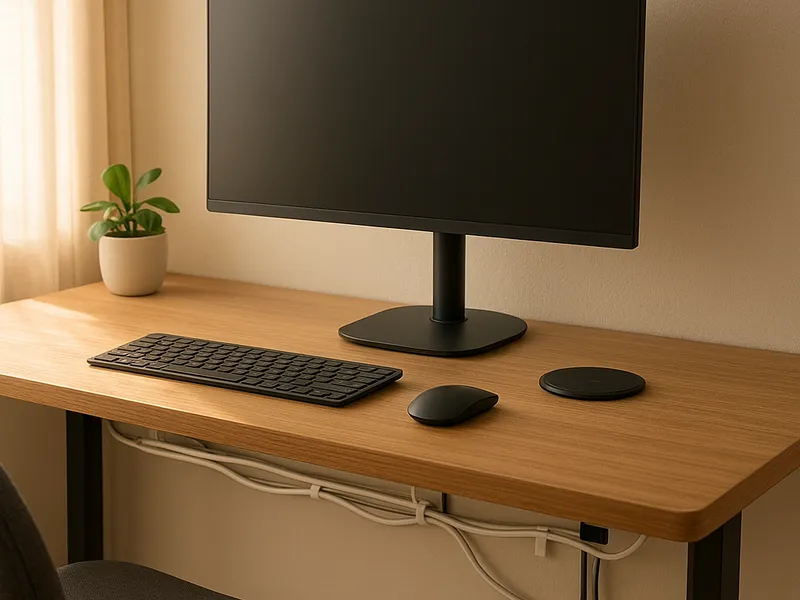
Cable Management for Desks: 12 Amazon Items That Fix the Mess
Article
2026-01-22 • 5 min read

Cable Management for Desks: 12 Amazon Items That Fix the Mess

Cable Management for Desks: 12 Amazon Items That Fix the Mess. If your desk looks like a tangle of cords after a busy workday, you’re not alone. A clutter of cables can creep into even the most minimalist setups, degrading focus, consuming valuable desk space, and posing a small but real safety risk.

If your desk looks like a tangle of cords after a busy workday, you’re not alone. A clutter of cables can creep into even the most minimalist setups, degrading focus, consuming valuable desk space, and posing a small but real safety risk. The good news is that simple, well-chosen cable management solutions can transform a chaotic workstation into a clean, efficient, and visually calm area that supports productivity rather than distracting you from it. The aim is not to hide every wire as if in a tech museum, but to create a practical, modular system that accommodates growth, changes in equipment, and occasional reconfigurations.

Start with a clear plan. The most effective cable management approach is goal oriented: determine where your power, data, and peripheral cables originate, where you want them to travel, and how many devices you need to host at arm’s reach. A strong plan also asks you to consider heat and ventilation, especially around power strips and adapters, and to separate high-current, heat-producing cables from data cables where possible. With a plan in hand, selecting the right tools becomes much easier, and you can avoid overbuying or buying items that won’t truly solve your problem.

A wide assortment of products marketed for desk organization lives on major retailers, with Amazon offering the broadest catalog. You will commonly encounter under-desk cable trays and baskets, adhesive-backed cable raceways that run along the back or underside of the desk, cable sleeves that bundle trunk lines, and a variety of clips and ties to secure cables without pinching them. Power strips with integrated mounting options, desk grommets to route cables neatly through the surface, and modular cable management boxes to conceal outlets also rank among the most helpful investments. The key is to mix and match based on your layout, not to rely on a single solution.

When comparing where to shop, several names frequently appear as reliable options for cable management and office organization. Amazon remains the default choice for most households and many small offices thanks to its enormous range, customer reviews, and fast delivery. The breadth of options means you can experiment with a low-cost starter kit, then upgrade to more robust solutions as your desk evolves. The Container Store emphasizes quality and clarity of organization, often offering higher-end, purpose-built items that blend into polished workspaces. For budget-conscious buyers, Monoprice and Belkin offer straightforward, affordable solutions that focus on function and ease of installation, such as simple raceways, basic clips, and cable sleeves. Ikea provides cost-effective, stylish options that pair well with its furniture lines, making a cohesive aesthetic easier to achieve. Office supply chains like Staples and Office Depot bring professional-grade accessories that are reliable for home offices and small businesses alike, including raceways, grommets, and media organizers. Finally, more specialized brands such as Bluelounge and other independent manufacturers frequently launch design-forward items that minimize bulk while maximizing accessibility.

Cable Management for Desks: 12 Amazon Items That Fix the Mess

A practical approach is to start with a combination of a discreet raceway or cable tray and a few securing clips. A raceway runs along the back edge of the desk to conceal most of the visible cables, while clips or adhesive ties can route a data line to a monitor or a keyboard/mouse setup. If your desk has a grommet hole, consider a grommet insert or cover to cleanly funnel cables to the power strip placed beneath the desk. A cable management box can hide a power strip and adapters, reducing the risk of dust buildup and keeping cords from snagging on chair wheels. For longer or more complex routings, a modular system with multiple components—raceways at the desk edge, a tray under the surface, and grommets where cables run through the desk—often yields the best results.

Installation is usually straightforward, but a little planning can save you time and frustration. Start by unplugging and sorting cables by destination: monitor cables, computer/charger cables, and peripheral cords. Lay out a simple path that minimizes crossovers and avoids sharp bends, which can accelerate wear. Attach raceways to the desk’s underside with the provided adhesive or screws, aligning them with the path you mapped. Glide data cables into the raceways to keep them tucked away, then secure power cables in a separate section to minimize heat interaction with data lines. Install clips along the edges of the desk for quick routes to the monitor stand, docking station, or a nearby outlet. If you have a surge protector, place it inside a managing box or an enclosure, both to reduce clutter and to provide a single point of access. Finally, replace the desk in place, tidy the last few stray cords, and label cables where helpful so you can easily identify them during future reconfigurations.

Beyond the initial setup, a few practical tips help sustain tidiness. Use Velcro ties rather than plastic zip ties when you anticipate reconfigurations, as Velcro is easier to adjust. Group related cables and route power and data cables separately to minimize interference and heat. Consider a monitor arm with integrated cable guides; these reduce the number of exposed wires and keep the desk surface cleaner. Periodically review the arrangement—after adding new devices or changing equipment, you may need to re-route or extend a raceway. A clean desk not only looks better; it also reduces the risk of cable damage, makes cleaning simpler, and can improve posture by keeping the workspace more organized and accessible.

If you’re new to cable management, begin with a modest set of essentials and expand gradually. A single under-desk tray, a short raceway along the back edge, a handful of clips, and a small cable management box can do a surprising amount of work. As you become more comfortable, you can add a grommet for a cleaner desk surface or upgrade to a modular system that grows with your tech. The best investments are those that scale with your needs, align with your workflow, and harmonize with your room’s style.

← Back to all articles