
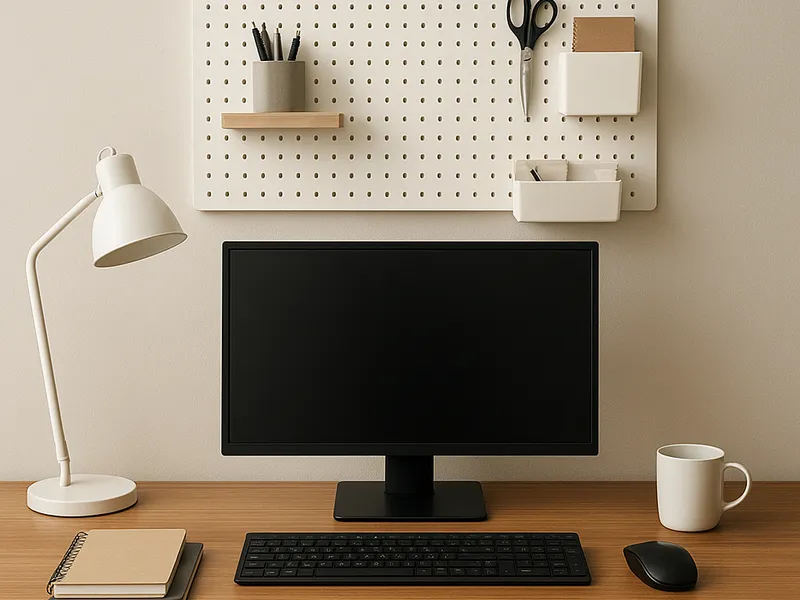
A working homework station comes down to four components, and you can assemble all of them for well under $100. You need a clear, dedicated desk surface (any existing desk or table works), a flicker-free LED task lamp like the TaoTronics TT-DL16 (around $35), a mesh desktop organizer such as the Marbrasse or SimpleHouseware models ($15–$25) or a rolling supply cart like the IKEA RÅSKOG (around $30), and a visual countdown timer — the Time Timer Mod (around $20) is the category standard. Everything else, from cable trays to label makers, is optional refinement.
The setup at a glance
- Surface: Any stable desk or table with roughly 40 inches of width; a dedicated spot matters more than the furniture itself
- Light: TaoTronics TT-DL16 LED lamp (~$35) for most families; BenQ e-Reading lamp ($200–$230) for heavy daily use
- Storage: Marbrasse or SimpleHouseware mesh organizer ($15–$25) for one child at a fixed desk; IKEA RÅSKOG cart (~$30) for shared or mobile setups
- Timer: Time Timer Mod (~$20) or a budget visual timer like the Yunbaoit ($15–$20)
- Realistic total: $70–$100 for the budget build; $250–$300 if you upgrade the lamp
Comparison
| Pick | Category | Price range | Best for |
|---|---|---|---|
| TaoTronics TT-DL16 | Task lamp | $30–$40 | Most students; 5 color modes, 7 brightness levels, USB port |
| BenQ e-Reading lamp | Task lamp (upgrade) | $200–$230 | Long daily study sessions; TÜV-certified flicker-free |
| Marbrasse mesh organizer | Desktop storage | $15–$25 | Fixed desks; 6 compartments plus sliding drawer |
| IKEA RÅSKOG cart | Mobile storage | $30–$35 | Kitchen-table studiers and shared supplies |
| Time Timer Mod | Visual timer | $18–$25 | Focus sprints; the disappearing-disk original |
| IKEA ÖVNING organizer | Portable caddy | $10–$15 | Carrying supplies between rooms |
The desk surface
You do not need to buy a desk. Owners consistently report that the biggest gains come from *dedicating* a surface — a corner of an existing desk, a small table, or a wall-mounted shelf — and keeping it clear of anything unrelated to schoolwork. If you are buying, prioritize about 40 inches of width, room for both a screen and a writing area, and a chair that lets feet rest flat. IKEA's kids' desk line covers the $50–$150 range.
Who should skip it: Anyone whose child already has a desk, or whose child genuinely works better at the kitchen table. In that case put the money into the mobile-storage option below instead.
The task lamp
The TaoTronics TT-DL16 ($30–$40) is the value pick: five color temperatures from warm 2700K to daylight 6500K, seven brightness levels, a flexible arm, and a USB charging port. Owners consistently report it eliminates the glare and shadows that make worksheet reading tiring; the neutral-to-cool settings (4000K–5000K) are widely recommended for study. The upgrade is the BenQ e-Reading lamp ($200–$230), with TÜV-certified flicker-free output, low blue light, and 95+ CRI — owners consistently report it covers an entire wide desk evenly.
Who should skip it: Households where homework happens in daylight hours near a bright window, and anyone tempted by the BenQ for a child who does 20 minutes of homework a night — the TaoTronics-class lamp is plenty.
The organizer
For a fixed desk, a mesh desktop organizer is the proven format. The Marbrasse (six compartments plus a sliding drawer and a phone/tablet slot) and the SimpleHouseware (five compartments with a sliding drawer) both sit in the $15–$25 range, and owners consistently report the steel-mesh construction survives years of student use. Add an Amazon Basics mesh drawer organizer ($10–$15) if the desk drawer tends to become a junk pit.
For kids who work at the kitchen table or share supplies with siblings, get the IKEA RÅSKOG rolling cart (~$30) instead: three tiers for paper, books, and bins of pens, rolled out at homework time and away after. The IKEA ÖVNING organizer ($10–$15) or LUSTIGT caddy (~$18) are lighter grab-and-go alternatives.
Who should skip it: Minimalists with one pencil case and a single notebook. An organizer with empty compartments just attracts clutter.
