
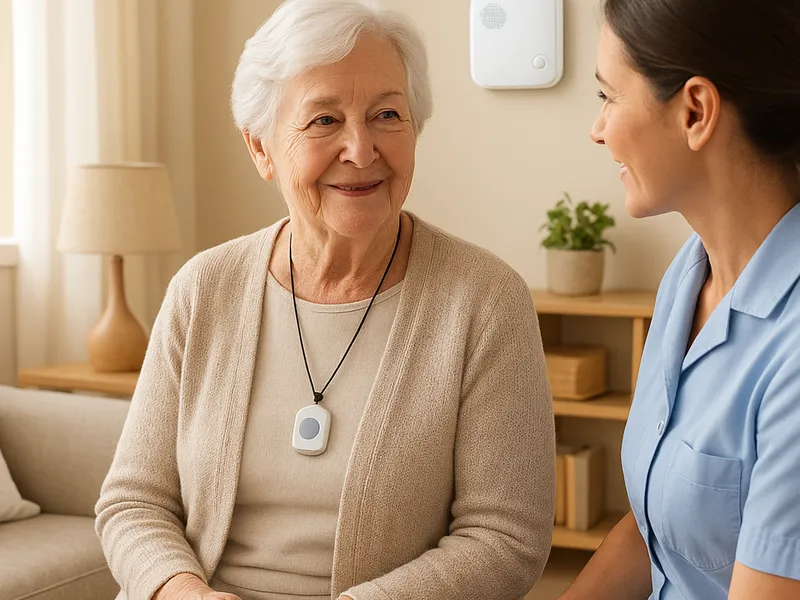
Medical alert systems for seniors have evolved from simple call buttons to comprehensive safety networks that blend wearable devices, home bases, and cloud-enabled monitoring. For families and caregivers, these systems offer reassurance that help is within reach at the push of a button, or even automatically if a fall or unusual inactivity is detected. The core idea is straightforward: create a reliable line of communication between the person at home and a professional monitoring center that can dispatch emergency services, contact a family member, or alert a caregiver. Yet behind the simple act of pressing a pendant lies a decision about devices, coverage, and cost. This guide outlines how these systems work, what to look for, and how to compare providers to find the best fit for your situation.
Most medical alert setups fall into a few broad categories. In-home systems typically rely on a landline or cellular connection and a base station that emits a signal when a pendant or wristband button is pressed. If you’re mostly concerned about falls or wandering inside a single dwelling, an in-home system with a long-range pendant and quick two-way communication can be sufficient. Mobile or GPS-enabled systems extend the same core concept beyond the walls of the house. They use cellular networks and GPS location to locate the wearer and to connect to a monitoring center from anywhere the wearer travels, which is essential for active seniors who live independently but don’t want to retreat indoors. Some devices also include automatic fall detection, which uses accelerometers to recognize a fall and place a call even if the senior cannot press a button. Water resistance is another practical factor; many pendants are designed to be worn in the shower or while bathing, where slips are most likely to occur.
When you’re evaluating systems, a few features matter most. Two-way voice is crucial; it lets a trained operator talk to the wearer and assess the situation in real time. Battery life and the frequency of base-station checks influence reliability; a base that runs on battery power during an outage is a big plus. The wearables themselves should be comfortable, lightweight, and easy to operate with a simple button. For fall detection, understand the sensitivity and the rate of false alarms, which can lead to unnecessary dispatches if too aggressive. GPS-enabled systems should provide precise location data to help responders reach the person quickly, especially if they are away from home. Data privacy and the monitoring center’s response protocol are also important; read the provider’s terms about who is contacted and how quickly help is summoned.
Comparing top providers helps translate features into real-world value. Life Alert is arguably the most recognized name in the space, with a long history of marketing and a broad range of plans. Its core offering is a pendant or wrist button paired with a 24/7 monitoring center and a fast response workflow. Pros include brand familiarity, straightforward setup, and reliable emergency handling. Cons often cited are higher price points and less flexibility in plan customization, especially for more advanced GPS or app-driven features.
Medical Guardian is known for modular options that let you scale up from a simple in-home system to a mobile setup with GPS and multiple wearables. Its plans typically include a base station, a waterproof pendant, and the option to add more devices, like a GPS button or a smartwatch-style device. The advantage is customization and a robust monitoring network, which makes it a strong choice for households with more complex needs or multiple caregivers. Some users report that the initial equipment package can feel pricey, but ongoing monitoring costs are competitive if you select the right mix of devices.
