
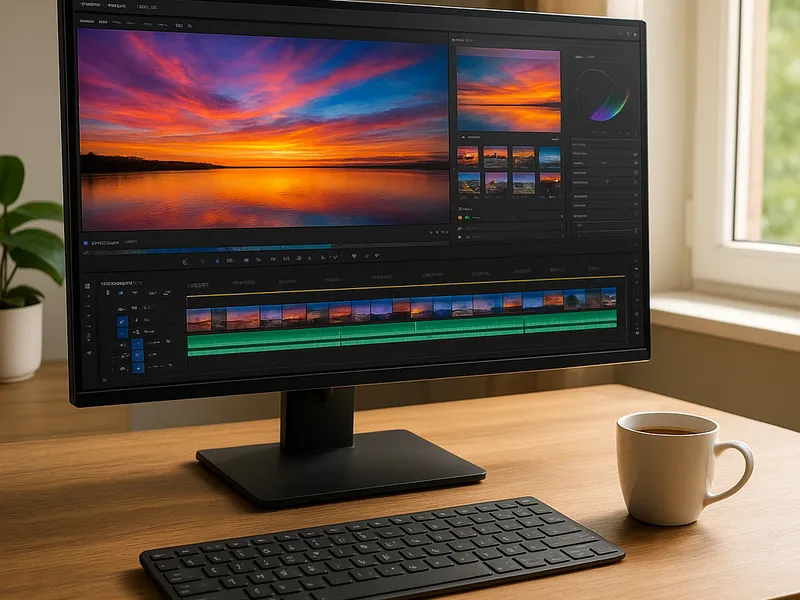
MP4 Software Free Download
Article
2025-12-08 • 5 min read

MP4 Software Free Download

In the realm of video creation and sharing, MP4 is a ubiquitous format that balances quality and file size for online platforms, devices, and editing workflows.

In the realm of video creation and sharing, MP4 is a ubiquitous format that balances quality and file size for online platforms, devices, and editing workflows. For creators, educators, marketers, and hobbyists alike, having reliable software that supports MP4—whether for editing, converting, compressing, or simply playing back the file—often comes down to choosing a tool you can download for free and trust. This article surveys the landscape of MP4 software free download, highlighting reputable options, how to obtain them safely, and practical tips to maximize their value without paying upfront.

What MP4 software does for you Software that handles MP4 files covers a broad spectrum of tasks. Editors use MP4-compatible programs to assemble footage, correct color, add transitions, and render final projects back into MP4 for distribution. Converters focus on changing MP4 into other formats or codecs, sometimes offering presets optimized for social media, streaming, or archival. There are also lightweight players and utilities that optimize playback, extract audio, or compress MP4 files to smaller sizes without sacrificing too much quality. The right choice depends on your goals, system, and comfort with learning new tools. The market includes beginner-friendly options, professional-grade suites, and open-source projects that let you experiment without a subscription.

Top providers worth comparing - DaVinci Resolve by Blackmagic Design: The free version of this robust editing and color-correction suite is a favorite for many creators. It’s designed for Windows, macOS, and Linux, and it handles MP4 exports with professional-grade color tools, multi-cam editing, and powerful visual effects. The paid Studio version unlocks advanced features, but for most non-studio work the free edition is more than capable. Pros include an integrated workflow from editing to color to audio; cons are a steeper learning curve and higher hardware demands.

- HandBrake: A free, open-source transcoder that excels at converting MP4 files to a wide range of formats, and vice versa. It’s lightweight, cross-platform, and great for batch processing. However, it’s not an all-in-one editor; you won’t do heavy cutting or color work within HandBrake. It’s ideal when your primary need is format conversion, compression, or extracting audio from MP4 files.

- Shotcut: An open-source video editor with broad platform support and a modular interface that appeals to both beginners and intermediate users. It supports a broad array of formats, including MP4, and offers a solid balance of editing features without the complexity of high-end software.

- OpenShot: Aimed at beginners and educators, OpenShot provides an approachable editing experience with drag-and-drop simplicity and essential MP4 export options. It’s a good starting point for small projects, social clips, or demonstrations where speed matters more than depth of features.

MP4 Software Free Download

- Blender: Known for its 3D capabilities, Blender also includes a capable video sequence editor. It’s free and cross-platform, making it useful for projects that integrate 3D elements with MP4 timelines. The learning curve can be steep, but the payoff is a deeply capable, all-in-one tool.

- Other noteworthy options: There are paid leaders such as Adobe Premiere Pro, Wondershare Filmora, and CyberLink PowerDirector that offer free trials or freemium models. Trials let you evaluate professional features before committing to a subscription. For strict free-access, the four options above—Resolve, HandBrake, Shotcut, and OpenShot—cover a wide range of needs.

How to download MP4 software safely and effectively - Prefer official sources: Always start at the publisher’s official site (for example, Blackmagic Design for DaVinci Resolve, handbrake.fr for HandBrake, shotcut.org for Shotcut, openshot.org for OpenShot, blender.org for Blender). Official mirrors reduce the risk of bundled malware or modified installers. - Check compatibility: Verify your operating system (Windows, macOS, Linux) and hardware requirements before downloading. Some powerful editors demand a capable GPU and ample RAM. - Use the provided installer method: Download the installer package from the official page, then run it and follow the on-screen prompts. For portable or installer-free options, follow the developer’s guidelines. - Validate integrity: If a checksum or digital signature is provided, use it to confirm the file hasn’t been tampered with. This step adds a layer of safety, especially on shared networks. - Be mindful of bundled software: Some installers offer additional software or offers. Choose custom install when available and deselect anything you don’t want. - Start with a clean environment: Close other programs during installation to avoid conflicts, and consider creating a system restore point or backup before trying new software.

Choosing the right tool for you - If your primary need is quick MP4 editing with a straightforward interface, OpenShot or Shotcut is often the best starting point. - If you want serious editing with color grading and professional finishing, DaVinci Resolve’s free version is hard to beat. - If your goal is efficient MP4 conversion, compression, or extracting components without editing, HandBrake is typically the most efficient choice. - If you plan to blend video with motion graphics or 3D content, Blender’s video editor can be a surprisingly capable addition to your toolkit.

Practical tips to maximize your MP4 workflows - Understand export presets: Most MP4 tools ship with presets tailored to common delivery targets (social media, web, broadcast). Start with a preset that matches your final destination to get good results quickly. - Choose the right codec: For MP4, H.264 (and newer H.265) offer a good balance of quality and file size. If your platform requires broad compatibility, H.264 remains the safest default. - Manage project settings early: Frame rate, resolution, and aspect ratio should reflect your end use. Changing these after editing can complicate your timeline and exports. - Save iterations: Keep a habit of saving incremental versions, especially for longer projects. It protects you from becoming stuck after a major edit or export issue. - Keep software updated: Free tools evolve with new features and security improvements. Regular updates help you access improvements and maintain compatibility with newer file formats.

In short, MP4 software free download offers a spectrum of options from simple converters to professional-grade editors. By choosing trusted, official sources, evaluating your needs, and following best practices for installation and export, you can build an efficient workflow that delivers high-quality MP4 results without a high price tag.

← Back to all articles