
Simple Home Security Setup for Apartments
Article
2026-01-22 • 6 min read

Simple Home Security Setup for Apartments

Securing an apartment today doesn’t have to mean a complicated, drilled-in alarm system or a long-term contract. For renters and city dwellers alike, a simple, reliable setup can deter intruders, provide quick peeks into your space, and fit within a busy, m...

Securing an apartment today doesn’t have to mean a complicated, drilled-in alarm system or a long-term contract. For renters and city dwellers alike, a simple, reliable setup can deter intruders, provide quick peeks into your space, and fit within a busy, modular lifestyle. The goal is to create a layered approach that covers entry points, protects common areas, and gives you timely alerts without creating a nuisance for roommates, neighbors, or your landlord. Below is a practical blueprint you can adapt to your floor plan, budget, and comfort level with technology.

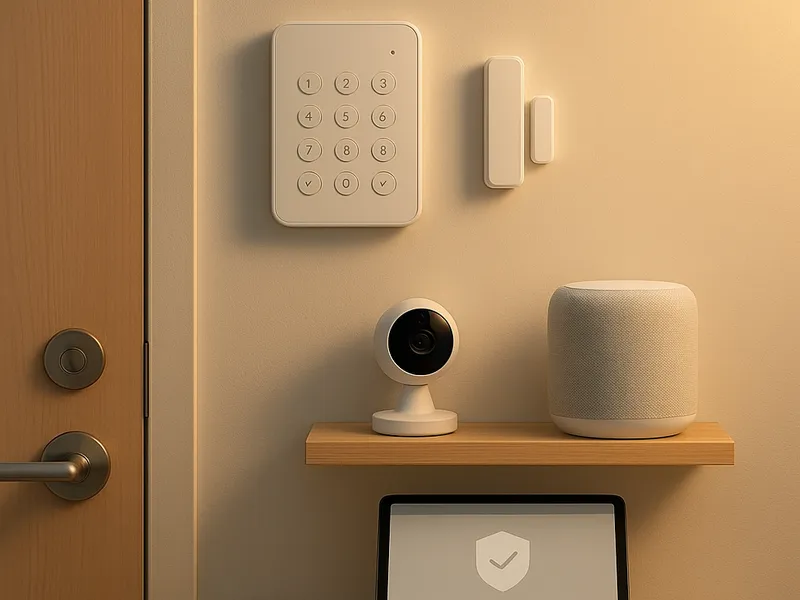
First, map out the space and decide how you want to monitor it. Most apartment security needs come down to doors and windows that are easy targets, plus a way to verify what’s happening when you’re away. A compact system should include a central hub or base station, contact sensors for doors and windows, motion detectors for hallways or living rooms, a camera or two for visual verification, and a simple way to receive alerts on your phone. If you share walls with neighbors or you’re in a building with a courtyard or shared entry, you’ll want to be mindful of privacy and placement to avoid capturing other residents’ spaces.

For renters, wireless, non invasive solutions are often the best fit. Many reputable providers offer plug and play kits that do not require hardwiring, drilling, or permanent modification. You can typically start with a basic kit and expand later if needed. The most important factor is choosing a system that can operate on batteries or a short power draw, and that uses a secure connection to a mobile app. This makes it easier to move with you or retool when you switch apartments.

Here is a straightforward comparison of popular options and what they’re best at. SimpliSafe, Ring Alarm, Arlo, Wyze, and to a lesser extent, traditional pro installers like ADT or Vivint each have a place depending on your priorities.

SimpliSafe emphasizes simplicity and fast setup. It offers wireless kits with a base station, door and window sensors, and optional cameras. The core kits are designed so you can install them in minutes with adhesive mounts and no drilling. The appeal is predictable pricing, clear month to month monitoring options, and a straightforward app experience. For many renters, the lack of a long contract and the ability to easily add environmental sensors such as smoke and water leak detectors is a big plus. If you expect to stay in the same apartment or move often, SimpliSafe’s modular approach makes sense.

Ring Alarm centers on the Ring ecosystem, which is already wide thanks to video doorbells and home cameras. An Alarm kit often includes a hub, contact sensors, motion sensors, and a keypad. As with SimpliSafe, you can opt into professional monitoring or manage alerts yourself. The advantage here is seamless integration with Ring cameras and the broader Alexa-enabled world. If you already own a Ring doorbell or camera, Ring Alarm can feel like a natural extension that ties video and alerts together in one app.

Arlo focuses on cameras first, with a security system that complements its growing family of battery powered or wired cameras. If your main concern is visibility and evidence gathering, Arlo can be a strong choice. Some Arlo bundles include smart hubs and sensors, but the standout is the video quality and flexible storage options. You’ll want to consider cloud subscription costs for video history, which can be a recurring consideration.

Simple Home Security Setup for Apartments

Wyze represents the budget friendly tier of the market. Its cameras and motion sensors pair well with a no-frills security setup. Wyze is attractive if you want a lot of coverage for a small price and don’t need the full professional monitoring package. The caveat is that you’ll be managing more of the system yourself, which is fine if you enjoy tinkering or want a low monthly commitment.

For those who want the peace of mind of professional monitoring, consider ADT or Vivint, though these options typically come with higher upfront costs and longer commitments. They are more common in owner-occupied homes but can be adapted for apartments if the landlord approves and there is space for their hub and cameras. The upside is robust monitoring, professional installation, and a broader array of sensors; the downside is price and terms.

Installation tips to keep things renter friendly: choose devices with strong adhesive mounting options instead of drilling. Test the placement to avoid glare on cameras and make sure sensors have a clear line of sight to the doors. Place cameras to cover entrances and high traffic interior spaces, avoiding direct angles into your neighbor’s unit or public hallways. Ensure your Wi-Fi network is stable where you live and consider a simple Wi-Fi extender if your apartment is unusually large or poorly connected. Most systems allow easy reconfiguration if you move or if your layout changes.

Once you select a system, here is a practical installation checklist. First, verify with your landlord or building management whether cameras can be visible on the outside or inside, and whether any exterior mounting is permitted. Next, place the main hub in a central location with strong Wi-Fi coverage. Install door and window sensors on the points of entry, ideally where the door meets the frame so the magnet aligns closely with the sensor on closing. Add motion detectors in living spaces, but avoid placing them directly in front of entrances to reduce false alerts from normal activity. If you choose cameras, place them to capture the entryway, a living area, and any dark corners; use privacy shields or physical orientation to protect your neighbors’ privacy where appropriate. Finally, connect the devices to the mobile app, customize alert preferences, and set up routines like turning on lights or arming the system at bedtime.

A practical security mindset for apartments includes not relying on a single line of defense. In addition to sensors and cameras, keep doors and locks in good shape, use a smart door lock if allowed by your building and lease, and ensure there are no oversized blind spots. Create a routine that works for your schedule, such as arming the system when you leave for work and disarming when you return home. If privacy concerns arise, configure cameras to stay away from shared spaces and use features like motion-activated recording with short retention to limit footage when you’re off premises.

Budget considerations matter, too. The lowest cost options will rely more on self monitoring and a la carte purchases, while higher end kits offer professional monitoring and a broader range of sensors, including environmental monitors for smoke or water leaks. If you’re in a transit-heavy city or a high-rise, the ability to manage everything through one app, with reliable alerts and quick armed or disarmed modes, is often more important than the exact hardware specs. For many renters, a well-chosen wireless kit from SimpliSafe, Ring, or Wyze, paired with a camera such as Arlo or Ring, offers the best blend of ease, price, and room to grow.

In short, start with a clear plan, choose a wireless system that fits your lease constraints, prioritize placement for coverage rather than complexity, and maintain a simple routine for arming and reviewing your security. With the right setup, you gain peace of mind in a familiar, compact home without turning your apartment into a bulky security fortress.

← Back to all articles