
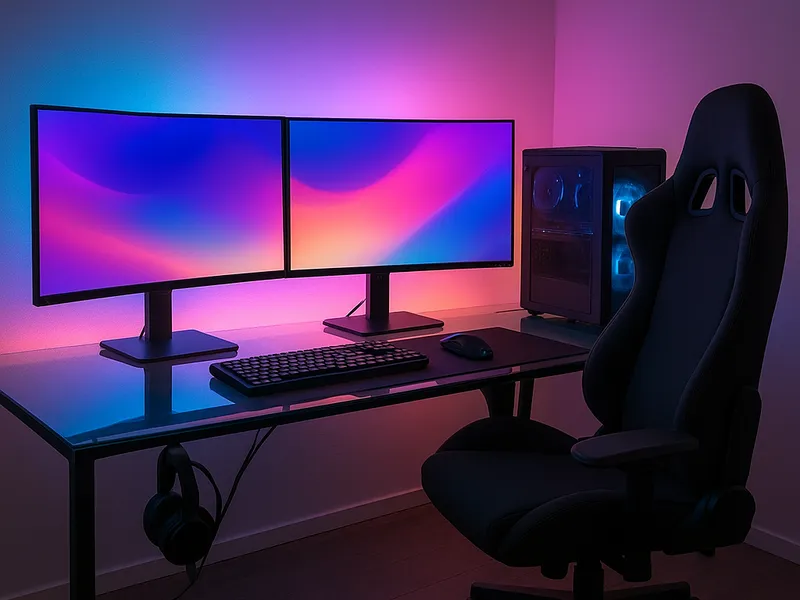
If you want one battlestation that nails lighting, cable management, and comfort, our pick is to build around the Secretlab Magnus Pro (or Pro XL) desk paired with a Secretlab Titan Evo chair, then add Govee RGBIC bias lighting and an Ergotron LX monitor arm to finish it. That combination gives you a hidden cable channel, immersive desk lighting, and all-day ergonomic support without forcing you into a four-figure budget. If money is no object, swap the chair for a Herman Miller Embody and the lighting for Nanoleaf panels.
Our picks at a glance
- Secretlab Magnus Pro / Pro XL — magnetic cable management and a steel deck — best for the all-in-one centerpiece desk.
- Autonomous SmartDesk 5 — affordable motorized sit-stand — best for budget standing setups.
- Secretlab Titan Evo — balanced ergonomics, build, and size options — best for most gamers' comfort.
- Herman Miller Embody — PostureFit spinal support — best for marathon sessions and serious posture needs.
- Govee RGBIC Pro / Neon Rope — music and game sync on a budget — best for desk and wall bias lighting.
- Ergotron LX monitor arm — durable, fluid adjustment — best for freeing desk space and dialing in eye height.
- iMovR Tucker cable tray — sturdy under-desk routing with a long warranty — best for hiding the power strip.
How to choose
A great gaming desk setup is really four purchases working together. Here is what actually matters.
- Desk size and stability. Match the surface to your monitor count and depth. A 60-inch-wide top suits a single ultrawide or dual 27-inch monitors; go XL only if you run triple displays or a large arm. Wobble at the keyboard is the enemy, so prioritize a steel frame.
- Cable management built in or bolted on. The cleanest setups route the power strip, dock, and charger bricks into an under-desk tray, then run a single bundle down one leg. Desks like the Magnus Pro hide this in the frame; everyone else adds a tray plus grommets.
- Lighting that you can sync. Bias lighting behind the monitor reduces eye strain in a dark room, and RGB sync (Razer Chroma, music, or screen mirroring) adds the immersion. Look for app control, cuttable strips, and the option to mix warm and cool white, not just color.
- Comfort and ergonomics. Your chair and monitor height do more for long-session comfort than anything else. You want adjustable lumbar support, 4D armrests, and your monitor's top edge at roughly eye level, which usually means a monitor arm.
- Budget tiers. You can build a solid setup at the mid tier ($$) and a premium one ($$$). Spend first on the chair and desk, since lighting and cable trays are cheap upgrades you can add anytime.
Secretlab Magnus Pro / Pro XL (the centerpiece desk)
The Magnus Pro is a motorized sit-stand desk with a full steel top that doubles as a magnetic surface for Secretlab's cable-routing accessories. Reviewers consistently call it the most complete gaming desk because the cable trays, magnetic deck, and accessory ecosystem make wire-hiding nearly effortless.
- Pros: Excellent integrated cable management, very stable steel frame, clean magnetic accessory system, sit-stand motor on the Pro.
- Cons: Premium price ($$$), heavy and a two-person assembly, the magnetic deck mainly shines if you buy into Secretlab's accessories.
- Best for: Buyers who want one desk that solves cabling out of the box.
- Skip it if: You are on a tight budget or only need a simple fixed-height surface.
Autonomous SmartDesk 5 (the budget standing pick)
If you want height adjustment without the premium outlay, the SmartDesk 5 is the value motorized option, recently called out as a strong budget sit-stand desk in roundups. It gives you the posture benefits of standing breaks at a far lower price.
- Pros: Affordable motorized sit-stand ($$), wide range of top sizes and finishes, simple to order configured.
- Cons: Less rigid than steel-framed rivals at full height, you supply your own cable management.
- Best for: First-time standing-desk buyers and value-focused builds.
- Skip it if: You want built-in cable routing or maximum stability for heavy triple-monitor rigs.
Secretlab Titan Evo (comfort for most people)
For the majority of gamers, the Titan Evo hits the best balance of ergonomics, build quality, size options, and price, and it is the chair most reviewers default to. It offers 4D armrests, magnetic lumbar support, and CloudSwap foam you can replace later.
- Pros: Three sizes for different body types, robust adjustability, durable build, easier to recommend than most "gamer" chairs.
- Cons: Mid-to-premium price ($$-$$$), firmer than office mesh, the racing-seat look is not for everyone.
- Best for: Most gamers who want long-session support without going full Herman Miller.
- Skip it if: You strongly prefer breathable mesh or need true office-chair aesthetics.
Herman Miller Embody (the premium comfort upgrade)
The Embody is the splurge for posture-first gamers, with PostureFit spinal support, a BackFit adjustment that follows your spine's curve, and pixelated support that spreads pressure across the backrest. It is widely regarded as a benchmark for ergonomics.
